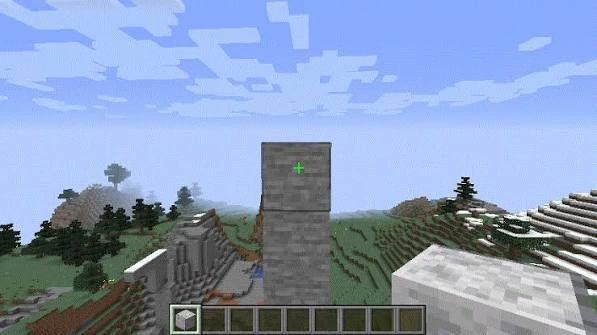
Fabric installation guide
Set up version 1.0.16 with the correct Minecraft, Fabric and Java requirements.
Build with steadier placement control using a lightweight Fabric client mod. Download version 1.0.16 directly and check the matching Minecraft, Java and loader requirements before installation.

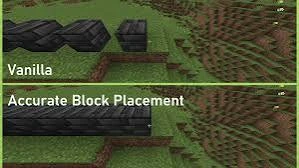
Accurate Block Placement Mod is built around smoother, more deliberate construction input. Version 1.0.16 is a Fabric client mod for Minecraft 1.19.3, with clear requirements shown before you install it.
The mod metadata identifies Minecraft 1.19.3, Fabric Loader 0.14.11 or newer, Fabric API, Java 17 or newer and a client-side environment.
A practical set of features for more controlled building, cleaner setup and easier compatibility checks.
Keep repeated placements more deliberate when working on patterns, details and longer building sequences.
Runs as a client-side Fabric mod, keeping the setup focused on the Minecraft profile you actually use for building.
Minecraft, Fabric and Java requirements are shown together so you can match the mod to the correct profile before launch.
Create repeated patterns with a steadier rhythm so longer walls, trims and structural details feel easier to manage.
Keep camera movement, crosshair position and block selection organized when working around tight angles or compact details.
Version details, dependencies and file verification information are grouped together so you can check the setup before changing a world or mod set.
A reliable mod setup starts with matching the game, loader and dependencies to the release you actually downloaded.
Use Minecraft 1.19.3 for version 1.0.16.
Run Fabric Loader 0.14.11+ and install a compatible Fabric API.
Place the JAR in the active profile’s mods folder, launch the Fabric profile, then test placement in a safe world.
Check the actual loader, edition and game version before installing the file.
Version 1.0.16 uses Fabric Loader and Fabric API.
This exact JAR is not a Forge build, including searches for Forge 1.20.1.
A Java .jar mod is not installed as a Bedrock or mobile add-on.
Version 1.0.16 targets 1.19.3; use a release that explicitly matches newer game versions.
Builders commonly value predictable inputs when repeating patterns, working around edges or placing blocks in compact structures.
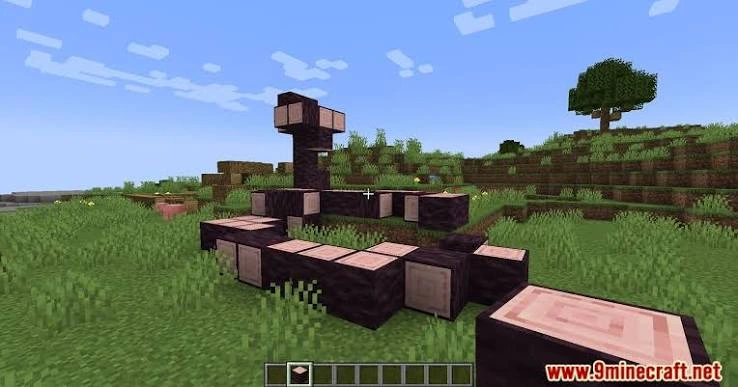
Download accurate-block-placement-1.0.16.jar directly from accurateblockplacementmod.com.
Keep the game version, loader and API aligned. If your launcher uses separate instances, edit the correct instance.
Back up important worlds, confirm Minecraft 1.19.3 with Fabric and Java 17+, and verify the downloaded file before changing your active mod setup.
A focused client mod can be simple to add, but only when its loader and version requirements match your instance.
Start with the symptom you see, then check the most likely cause before changing anything else.
Keep Minecraft on 1.19.3, use Fabric, and confirm the required dependency before testing again.
Confirm the JAR is inside the mods folder used by the Fabric profile you actually launched.
Install Fabric API and check that Fabric Loader meets the 0.14.11+ requirement.
Do not load the 1.19.3 Fabric build into a Forge, Bedrock or newer-version profile.
Read the focused articles before changing loader, edition or game version.
Set up version 1.0.16 with the correct Minecraft, Fabric and Java requirements.
Why a Fabric JAR cannot be converted by renaming it.
Understand the difference between Java mods and Bedrock add-ons.
Clear answers about installation, compatibility, versions and safe setup.
It is a Minecraft Java client mod focused on making block placement inputs more consistent for building workflows. The version 1.0.16 download identifies itself as Accurate Block Placement version 1.0.16.
Yes. The included mod metadata identifies this build as a Fabric client mod and lists Fabric Loader and Fabric API as dependencies.
The version 1.0.16 JAR declares Minecraft 1.19.3 compatibility. Use a different release only when its metadata explicitly matches your Minecraft version.
The mod metadata requires Java 17 or newer.
Yes. Version 1.0.16 declares Fabric Loader 0.14.11 or newer as a dependency.
Yes. The Fabric metadata lists the Fabric API dependency, so install a matching Fabric API version for Minecraft 1.19.3.
The version 1.0.16 JAR declares its environment as client, meaning it is intended to run on the Minecraft client.
No. The version 1.0.16 file contains Fabric metadata, not a Forge mods.toml configuration. Do not rename the file to try to convert it.
This website’s direct file is not a Forge 1.20.1 build. If you are searching for that combination, verify the loader and Minecraft version on the release you intend to use.
The direct download is a Java .jar mod, so it is not installable as a Bedrock or MCPE add-on.
Names such as “Reborn” can refer to a separate project or fork. Check the project ID, loader, author information and version metadata before treating different downloads as interchangeable.
The version 1.0.16 file declares Minecraft 1.19.3, so it should not be presented as a 1.21 or 1.21.1 build. Match the mod release to the game version.
Install Fabric Loader for Minecraft 1.19.3, add a compatible Fabric API, then place the downloaded Accurate Block Placement JAR in your Minecraft mods folder and launch the Fabric profile.
Place it in the mods folder for the Minecraft instance you launch with Fabric. Multi-instance launchers can use a separate mods folder per profile.
First confirm Minecraft 1.19.3, Java 17+, Fabric Loader 0.14.11+ and a matching Fabric API. Also make sure the JAR is in the active instance’s mods folder.
Read the latest log for missing dependencies or version mismatch messages. Test with the required Fabric components and remove unrelated mods temporarily if you need to isolate a conflict.
Yes. The main download button serves accurate-block-placement-1.0.16.jar directly from this website package.
Compare the SHA-256 value shown in the Download and Release Information sections with the file you received.
The mod metadata marks it as client-side. Server rules may still restrict client modifications, so follow the rules of the server you join.
Yes. Keep backups of important worlds and configuration files before changing loaders, game versions or mod sets.