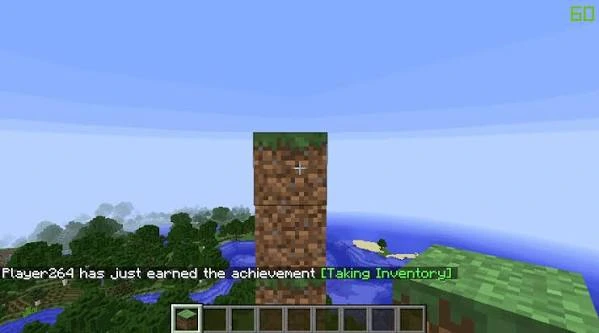
Practice repeated patterns in a test area
Create a short wall, pillar or floor pattern and repeat it at a controlled pace. This helps you learn how the client-side placement behavior feels before using it on a detailed build.
Organize the hotbar around the build sequence
Keep the next few block types in predictable slots. Reducing inventory switching makes your input rhythm easier to maintain and helps separate placement issues from hotbar mistakes.
Use safe angles for compact structures
When building around edges, undersides or tight corners, slow down enough to confirm the target face. Precision tools do not replace good positioning, especially when a misplaced block would be costly to remove.
Increase speed gradually
Build accuracy first, then increase input speed. If blocks begin appearing in unexpected orientations or positions, reduce the pace and confirm the mod, game and loader are functioning as expected.
Use a build sequence instead of improvising every block
Speed improves when the next few placements are predictable. Break a larger structure into short sequences such as “foundation, corner, wall fill, trim,” then keep the required blocks in a consistent hotbar order. This reduces inventory interruptions and lets your attention stay on camera position and placement timing.
For repeated walls or paths, finish a short segment and visually check it before extending the pattern. Catching one misplaced block after five placements is faster than discovering the same mistake after fifty.
Choose camera angles that leave room for the next placement
A fast route is not always the most direct route. When working near corners, ceilings or narrow gaps, move to an angle that exposes the target face clearly and still leaves space for the next block. A small repositioning step can save several corrections later.
- Keep the crosshair near the next target rather than swinging across the screen.
- Use short movement bursts around edges and overhangs.
- Keep sensitivity consistent while learning a repeated sequence.
- Pause briefly when changing from full blocks to directional blocks.
Measure speed by completed sections
Instead of focusing on clicks per second, compare how long it takes to finish a clean section that needs little correction. A slightly slower placement rhythm can produce a faster overall build when it reduces block breaking, inventory recovery and alignment checks.
Practice with a timer only after the sequence is accurate. Repeat the same small build several times and look for a pace you can maintain without increasing mistakes. Consistency is more useful than one unusually fast attempt.
Keep important worlds out of the practice loop
Use a creative test world for new control habits, new loader configurations or unfamiliar mod combinations. Once the workflow feels stable, move to a backup copy of the real project before using the same setup on the primary save. This keeps experimentation separate from the build you care about.
Finish with a short accuracy pass
At the end of each major section, slow down and inspect the structure from several angles. Check corners, repeated patterns, directional blocks and any area built while moving quickly. A short review pass catches small errors before they become part of the next stage of construction.
This also gives you feedback about which parts of the workflow are genuinely faster. If one sequence always creates corrections, change the sequence rather than simply trying to perform it more quickly. Efficient building comes from fewer mistakes and smoother repetition, not only faster input.